Start with the shared dependency
Both servers rely on the same database. When it fails, neither server can access the data it needs.
Before counting servers, trace what they depend on. In this example, the database remains a single point of failure.

Bring your script and takes. Let the studio assemble the edit,
with graphics, captions, and mixed audio.
For the first 50 buyers · One-time purchase · Two years of updates · One creator, one Mac.
Premium includes a Mac installer. Paid AI usage is billed separately.
Prefer building from source? Build the free editionYour AI-generated app is not production ready
8 recordings · 35:0313:41 edited cut
iLyas BakouchCreator of CoProd · Win The Cloud
For this video on his own channel, iLyas used the studio to select takes, assemble the edit, add graphics and captions, and mix the audio.
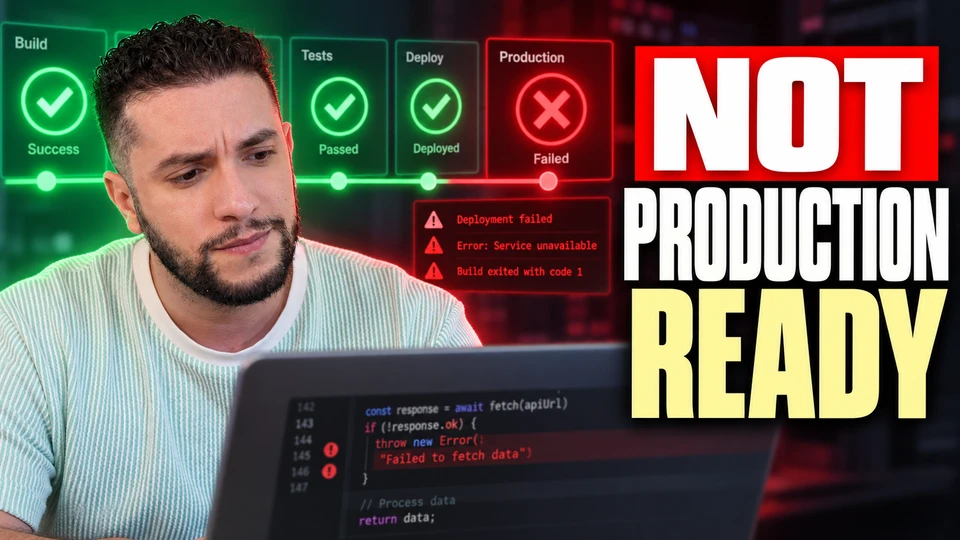
I well I think we're about to have a production readiness crisis and not because AI is bad at writing code actually quite the opposite AI has become incredibly good at writing code and just open Codex Cursor whatever tool you prefer and just describe an application and you know a few hours later you have authentication database payments a nice looking front-end but there's a dangerous conclusion we are starting to draw from this
I think what happened I think we're about I well I think we're about to have a production readiness crisis and not because I'm not because AI and not because AI is bad at writing code actually the quite the opposite actually quite the opposite actually actually quite the opposite AI has become incredibly good at writing code and you can just incredibly good at writing code you can just open cloud Codex Cursor whatever tool you prefer and just describe an application and you know a few hours later you have authentication database payments a nice looking front-end maybe even a deployments and that is amazing I give you that but there is
A new creative partner.
Your familiar workflow.
One creator project. Four ways to shape the edit. Play an example, then switch treatments to compare the difference.
Match your recordings to the script and bring the selected takes together.
Original videoI think what happened I think we're about I well I think we're about to have a production readiness crisis
Edited videoI well I think we're about to have a production readiness crisis and not because AI is bad
Bring tool cards into the picture at the moment you name them.
Presenter only videojust open Codex Cursor whatever tool you prefer and just describe an application and you know a few hours later you have authentication database payments a nice looking front-end but
With graphics videojust open Codex Cursor whatever tool you prefer and just describe an application and you know a few hours later you have authentication database payments a nice looking front-end but
Emphasize the important spoken lines with a pop or word highlight.
Off videotime? What happens when your AI agent quietly introduces a security vulnerability? What happens at 3 a.m. when customers tell you that their data had, you know, disappeared?
Pop videotime? What happens when your AI agent quietly introduces a security vulnerability? What happens at 3 a.m. when customers tell you that their data had, you know, disappeared?
Word highlight videotime? What happens when your AI agent quietly introduces a security vulnerability? What happens at 3 a.m. when customers tell you that their data had, you know, disappeared?
Polish your voice, tuck music beneath it, and add effects at the spoken cue.
Voice only videotime? What happens when your AI agent quietly introduces a security vulnerability? What happens at 3 a.m. when customers tell you that their data had, you know, disappeared?
Full mix videotime? What happens when your AI agent quietly introduces a security vulnerability? What happens at 3 a.m. when customers tell you that their data had, you know, disappeared?
Real footage from the same project. Caption styles and the sound mix were rendered locally for these examples.
The studio handles assembly. You review the story, revise the visuals, and choose how to finish.
Start with your own script or develop one in the studio. Approve the words, import your recordings, and match your takes to the story.
Review the storyboard and rough cut. Revise a scene, change its graphic, or adjust the pacing before the final render.
Render the reviewed cut locally, or take it into DaVinci Resolve and bring your finished master back. Preparing the package comes next; uploading always needs your approval.
Your video, thumbnail, title, and description belong together. Take them from the edit to YouTube in one workflow, with your approval before upload.
Approve the rough cut and render the final master, or bring back your finished edit from Resolve.
Generate title candidates, a description, tags, and chapters timed to the rendered video. Compare two thumbnail variants and select the exact revision to upload.
Review the package and selected thumbnail, approve them, and upload to YouTube from the app. Google sign-in authorizes the upload; the project keeps the resulting video link.
 Variant A
 Variant B
AI can generate an app faster than you can understand its production risks. A convincing demo is not a reliable system: distributed failures, security boundaries, observability, and recovery still need deliberate engineering.
This video explains where AI-generated applications commonly fall short once real users, dependencies, outages, and operational responsibility enter the picture.
For cloud engineers, software developers, technical leaders, and builders using AI-assisted development, this is a practical framework for evaluating production readiness before deployment.
We cover distributed systems failure modes, why authentication is not the same as security, observability, backups versus recovery, and the questions senior engineers should ask before an app goes live.
The app never uploads publicly, makes a video unlisted, or schedules it to go public. Review it on YouTube in your own time.
Once your final render is saved and the project is marked as published, turn the words in that video into a blog post or newsletter issue.
Pick a blog post or newsletter, its length and language. Add your direction, tone, or call to action.
Edit the wording yourself or request an AI revision. Previous versions stay available; your own edits save locally.
Copy formatted text or export Markdown, HTML, or plain text, with your YouTube link included. Review it, then publish on your blog or send it through your newsletter platform.
Generation and AI revisions use your configured writing provider. Paid provider usage is separate; transcribing the final video may also incur a charge. Review any supplied references before publishing.
How article creation works“Two servers still depend on one database. If that database fails, both lose access.”
A second server doesn’t remove a dependency both servers share.
Both servers rely on the same database. When it fails, neither server can access the data it needs.
Before counting servers, trace what they depend on. In this example, the database remains a single point of failure.
This week’s video starts with two servers and one shared database. If the database fails, both servers lose access.
The question to carry into your own setup: what do your servers still depend on together?
Watch the creator’s later YouTube version. The opening comparison, rehearsal, and publishing package on this page come from the same project.
Playing here connects to YouTube. Privacy details.
Published on Win The Cloud after further editing. The app-rendered project cut is 13:41; this YouTube version is 12:36. Explore the opening comparison and the package before watching the complete result.
The demo combines synthetic footage with motion graphics, captions, narration, and mixed audio. It shows the local production workflow without paid AI calls.
You have two servers. Two copies of the database. Maybe even two regions. Then one ordinary deployment takes everything down. The architecture was redundant. The service was not available.
Redundancy describes the parts you own. Availability describes what a user can actually do. Adding another copy only helps when the failure that breaks one copy leaves the other useful.
Imagine two application servers behind a load balancer. Both depend on one database endpoint. When that shared dependency fails, the second application server is just another machine returning the same error.
Even independent copies are not enough. Something must detect the failure, route traffic, and preserve the information needed to continue. A standby that nobody can reach is capacity, not recovery.
So test the entire path. Break a dependency. Watch detection. Measure the switch. Check a real request. Include the control plane, credentials, and the people who have to make the decision.
The useful question is not, how many copies do we have? It is, what happens to the next user request when this part fails? Availability is a behavior. Build it, then prove it.
Open with a clear hook. Let the first visual set the scene before bringing in the detail.
A narrated rehearsal helps you hear the pacing and review the visuals.
What if your next AI assistant
didn’t need the cloud?
It could live right here. On your Mac.
Your models. Your files.
A little more control.
Connect a retention dip to its script, scene, and next-video experiment.
Review the passage and rendered scene. Retention shows where viewers leave; the reason still needs investigation.
Hear your script, reuse your sounds, and connect audience feedback to your next creative decision. Premium adds tools you can use across productions.
Turn your approved script into a narrated rehearsal with planned visuals. Hear the pacing, refine the story, and carry reviewed direction into your real recording.
I think we're about to have a production-readiness crisis. Not because AI is bad at writing code. Actually, the opposite. AI has become incredibly good at writing code.
You can open Claude Code, Codex, Cursor, whatever tool you prefer, describe an application, and a few hours later you have authentication, a database, payments, a nice-looking frontend, maybe even a deployment.
And that's amazing. But there's a dangerous conclusion we're starting to draw from this: If the application works, the application is ready. It's not. Because getting software to work was never the hardest part of software engineering. The hard part begins after it works.
What happens when the database is unavailable? What happens when two requests modify the same record? What happens when your AI agent quietly introduces a security vulnerability? What happens at 3 AM when customers tell you their data disappeared? And, maybe most importantly: Who actually understands the system well enough to answer those questions? That's what I want to talk about today.
Use your rehearsal to review the opening, repeated points, pacing, and how soon you reach a useful example. Get suggestions tied to the actual words in your script.
Your writing provider reviews the script and synthetic reading times; cloud feedback uses your API key and is billed separately. Local checks flag exact repetition and timing cues. You choose every change.
Today we’re going to look at why two servers can still go down together. Before we get to the example, there is an important point to understand: both servers rely on the same database. If that database fails, both servers lose access.
Suggestion: Lead with the shared database example already in the script. Shorten the introductory setup.
Two servers. One shared database. If that database fails, both servers lose access. Let’s start with that dependency.
Save as a new script version → Approve the script → Rehearse again
Generate an effect once. It’s automatically tagged and saved to your sound library, ready to browse, play, and reuse in the next video. Keep your channel’s sound consistent without paying to generate it again.
Import sounds you already love, favorite the best ones, and choose signature effects for chapters, reveals, and captions.
Create one-shot effects on your Mac with MOSS-SoundEffect. Generation and automatic tagging run locally after a one-time setup. Prefer ElevenLabs? Connect your own API key; provider usage is billed separately.
Apple Silicon · 32 GB+ memoryClick a retention dip to open its script passage and rendered scene. Watch the lead-in, revisit the recorded direction, and choose one experiment for your next video.
Review the script and scene from the saved render.
Was the payoff late? The explanation repetitive? Treat it as a hypothesis.
Your experiment and comparison plan enter the next new project’s writing brief.
Retention shows where viewers skip or leave. The reason still needs investigation.
YouTube guidanceAlongside chapter lessons, topic recommendations, and business outcomes, give your next production a specific creative experiment.
Before we see the result, let’s walk through each setting.
Presenter explains the settings before the finished result appears.
Recorded decision: Explain the setup first so viewers can follow the process.
Let’s go over that same configuration one more time.
The settings panel stays on screen during a second explanation.
Recorded decision: Repeat the configuration to reinforce the key steps.
Choose one change to preview the next-video brief.
Hypothesis to investigate:
Use comparable reporting windows and audience context. Differences between videos do not prove the cause. AWS
AWS OpenAI
 Claude
 Cursor
 Gemini
 Docker
 Kubernetes
 Python
 Rust
Rust React
React Postgres
 Figma
FigmaTalk about a tool and show it. Pick a mark — AWS, OpenAI, Claude, Cursor and dozens more are built in — and it appears beside you exactly when you name it in the recording.
Import your own logos and diagrams too. Every visual lives in one searchable library, ready to reuse in the next video.
Built-in marks ship with the app for referential use when you cover those products on camera; every mark remains the trademark of its owner. Import your own SVG, PNG, JPEG or WebP artwork for anything else — reusing a saved visual never costs anything.
Brand marks & trademarksThe complete production studio is free, with public source code you can read and run. Premium is an optional step up for creators who want rehearsals, a reusable sound library, a brand-visual library, and channel intelligence.
Premium is a one-time purchase for one creator on one Mac, with two years of updates. Paid AI provider usage is a separate cost.
The free edition is a source build with developer-tool requirements. See its setup guide
14 days to request a full refundYour project library and recordings live on your Mac. Choosing a cloud provider sends the inputs that task needs to that provider.
Provider charges depend on the tasks and models you choose. Local MOSS sound generation has additional hardware and setup requirements.
No subscription. Two years of updates. Keep using your last eligible version.
One-time purchase. No software subscription.
Save US$200 off the regular price. Code Q1MJI2OA is applied automatically at checkout for the first 50 buyers.
Prefer building from source? Build the free edition
$0 software fee · macOS source build · Elastic License 2.0Money-back guarantee. If Premium isn’t for you, email us within 14 days of purchase for a full refund.
| Your creative toolkit | Free | Premium |
|---|---|---|
| Research, scripts & teleprompter | Included | Included |
| AI direction & multi-take editing | Included | Included |
| Motion graphics, captions & audio | Included | Included |
| 1080p export & Resolve handoff | Included | Included |
| Titles, descriptions, chapters & tags | Included | Included |
| A/B thumbnail creation & creator-approved upload | Included | Included |
| Enforced private-only YouTube uploads | Not included | Included |
| Blog & newsletter drafts from published videos | Not included | Next update |
| Narrated rehearsals before recording | Not included | Included |
| Rehearsal feedback & previewable script revisions | Not included | Next update |
| Reusable sound library, tags & signature effects | Not included | Included |
| Local MOSS sound generation on supported Macs | Not included | Included |
| Visual library with built-in brand marks | Not included | Included |
| YouTube analytics & retention insights | Not included | Included |
| Retention dips linked to script, scenes & next-video experiments | Not included | Included |
| Topic recommendations & channel strategy | Not included | Included |
| Business outcomes & performance reviews | Not included | Included |
Feature list verified October 2026.
Scripted technical explainers, product walkthroughs, tutorials, and talking-head videos recorded across several takes. Bring your approved script and recordings, review the assembled cut, and revise or finish it in Resolve.
A complete video. Start with an idea or your own script, import your recordings, choose a director, review the storyboard, and render a 1080p video with graphics, captions, and mixed audio. Title candidates, descriptions, chapters, tags, two thumbnail variants, and creator-approved YouTube upload are included. Bring your own API keys for paid AI providers.
macOS 14 or later. The free edition is a source build that requires Swift 6+, Node.js 24+, Bun, and FFmpeg. The setup guide walks through the requirements. DaVinci Resolve and Blender are optional. Premium’s installer is for Apple Silicon Macs; local MOSS sound generation has additional hardware requirements.
No. You review and approve the upload package and the exact selected thumbnail before uploading. Changing either requires a new approval. Even when the Producer handles editing and rendering automatically, upload approval stays with you. Both editions support packaging and approved upload; Premium additionally enforces private-only uploads and blocks public, unlisted, or scheduled publication.
No. Premium is a one-time purchase with two years of updates for one Mac. The regular price is US$249. Until the end of 2026, the launch price is US$159. For the first 50 buyers, code Q1MJI2OA brings that down to US$49. Your purchase covers one creator on one Mac. You can keep using your last eligible version after the update period, with no recurring subscription. Paid AI provider usage is billed separately; local MOSS sound generation has no API charge.
The app purchase does not include paid AI credits. Selected cloud providers use your own keys and bill you directly for their tasks, such as writing, transcription, image generation, or AI thumbnails. Local transcription with whisper.cpp and local rendering need no paid AI credits. Premium also offers local MOSS sound generation and automatic tagging with additional hardware/setup requirements. Using a ChatGPT or Claude subscription does not itself provide API credits for the app.
Your project library and recordings live on your Mac. Local transcription and rendering process media there. Cloud writing and direction send task text such as your idea, script, transcripts, and instructions; cloud transcription sends audio; image-based AI tasks can send selected reference images or a creator cutout. Those tasks follow the selected provider’s data policies. License validation, update checks, YouTube sign-in, analytics sync, and approved uploads also use the network. Premium’s local MOSS generation and tagging run offline after setup.
After you approve the package, start the upload from the app. Google sign-in grants upload access separately from a read-only analytics connection. The final video, approved metadata, and selected thumbnail are sent to YouTube, and the project records the video link. If YouTube creates the video but a finishing step fails, the app keeps that link and directs you to YouTube Studio instead of uploading a duplicate. Source builds need Google OAuth configured first.
The free edition’s code is public on GitHub under Elastic License 2.0. We call it source-available because that license includes restrictions, including on offering the app as a hosted service. Premium is a separate, proprietary edition. You can read the free edition’s complete license on GitHub.
Premium already turns an approved script into a narrated rehearsal. The next Premium update adds editorial feedback on openings, repetition, example timing, and pacing, with suggestions anchored to the script. Watch the relevant passage in a rendered rehearsal, compare proposed wording, and choose which revision to save. Each saved revision creates a new script version that you must approve before rehearsing again. The configured writing provider reviews text and synthetic reading times; it does not predict audience retention. Cloud feedback uses your API key and is billed separately. Local checks flag exact repetition and timing cues.
The next Premium update adds optional article creation after a final render is saved and the project is marked as published. Upload through Studio or record an existing YouTube upload, then choose a blog post or newsletter, length, language, and editorial direction. Drafts use speech from the finished video; newsletters also include a subject line and preview text. Edit locally, request AI revisions, and keep earlier versions. Copy formatted text or export Markdown, HTML, or plain text with the video link, then publish through your own blog or newsletter platform. Generation and AI revisions use your writing provider; paid usage and any required cloud transcription are billed separately. Review the draft and supplied references before publishing.
Retention shows where viewers skip or stop watching; it does not establish why. Premium lets you open a dip alongside the script passage and rendered scenes from a confirmed linked production, review the recorded creative decisions, and choose one hypothesis, one change, and a comparison plan for the next new project’s writing brief. If the saved render or its timing cannot be matched, the app explains the gap. Compare reporting windows and audience context after publishing; a difference between videos does not prove the cause.
The Premium edition and an Apple Silicon Mac with at least 32 GB of unified memory. One-time setup needs an internet connection, Git, uv, and about 16 GB of disk space, including the 11.2 GB model download. After setup, MOSS-SoundEffect generates and automatically tags effects locally, without an API key. It supports one-shot effects, not seamless loops. Generation speed varies by Mac and prompt. Only local generation needs that hardware — the rest of the sound library, including imported sounds and ElevenLabs generation with your own key, has no such requirement.
No. Premium automatically saves successful generations to the sound library with searchable tags. Browse and play saved effects, import your own sounds, and choose favorites or signature effects for future videos. Reusing the saved audio makes no generation call and incurs no new generation charge. Saved sounds remain playable even if you remove the local model.
Yes. Premium includes a visual library with built-in brand marks for popular tech products — AWS, OpenAI, Claude, Cursor, Google Cloud, Docker and dozens more — provided for referential use when you talk about those products on camera. Every mark remains the trademark of its owner. You can also import your own logos and diagrams as SVG, PNG, JPEG or WebP. Choosing a mark for a scene is a one-time pick; previews, renders, and exports reuse it with no AI cost.
Build the free studio, or get Premium’s tools for your next production.
May we use Swetrix to count visits and understand which pages are useful? It processes technical information, including your IP address, without tracking cookies. Your choice won’t affect the site. Privacy details